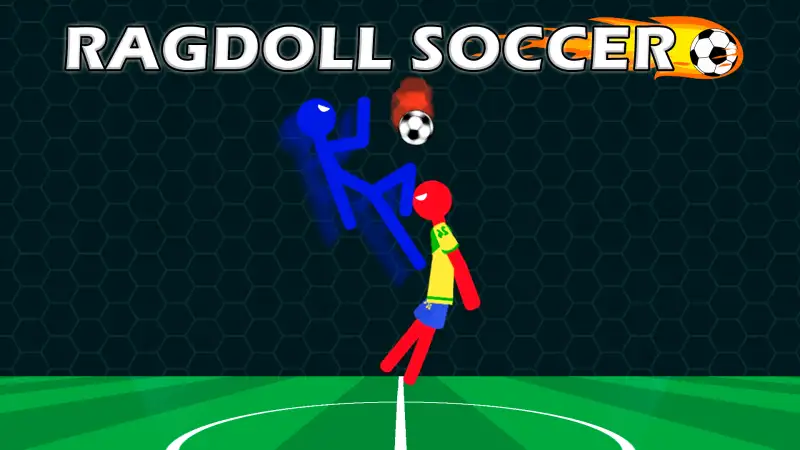
Play in a browser tab with zero installation
"Unblocked" for Ragdoll Soccer simply means the entire 2D physics match runs as standard HTML5 and WebGL inside your web browser—no .exe installer, no admin password, no Steam or Roblox launcher, and no account registration. Press Play Ragdoll Soccer in the player above, click Let's Play on the title screen, and you are straight onto the pitch in solo Championship, Penalty Shootout, or split-keyboard 2-player mode.
On a Chromebook, Windows laptop, or Mac lab machine, ChromeOS and modern desktop browsers already include everything the physics engine needs. Your progress, unlocked stickman skins, and arena choices save locally in the browser tab.
Why Chromebooks and school laptops handle HTML5 games differently
Desktop games and platform apps (including the separate Roblox game with the same name) require installing a native client, which managed school or office devices almost always block at the operating-system level. Browser football games run inside the browser's built-in sandbox using the graphics chip already inside the laptop.
That said, if your school or workplace IT administrator blocks gaming domains or third-party game frames on the local Wi-Fi network, no honest website can bypass network policy—and this site does not offer proxies or workarounds. What you can check in thirty seconds is whether an issue is a network rule or a simple browser setting:
- The page opens, and pressing Play starts the match: Both this domain and the embedded Playgama game frame are allowed on your network.
- The page opens, but the player box stays blank after pressing Play: A browser extension or network firewall is blocking third-party iframes from
playgama.com. Try disabling ad/script blockers on this tab; if an administrator forces the extension on a managed profile, the restriction is intentional. - The loader appears, then shows a WebGL or black-screen message: Your network is fine, hardware graphics acceleration is turned off in the browser.
Fixing WebGL and low-memory lag on Chromebooks
Low-cost laptops and Chromebooks with 4 GB of RAM run Ragdoll Soccer smoothly when WebGL uses hardware acceleration, but bog down if twenty background tabs are eating memory:
- Check
chrome://gpuin a new tab. Look at the top summary for WebGL and WebGL2. If either says Disabled or Software only, openchrome://settings/system, switch on Use graphics acceleration when available, and click Relaunch. (If an administrator policy locks that toggle off, WebGL cannot be enabled on that profile.) - Close heavy video or document tabs. Physics collisions run sixty times per second; closing unused YouTube or Google Docs tabs frees up memory so the pitch never stutters.
- Use Fullscreen (
⤢ Fullscreenunder the player). Fullscreen hides browser toolbars so both goals fit cleanly on 11-inch and 13-inch laptop screens, and stops accidental page scrolling when pressing the Up and Down arrow keys.
For Safari, Firefox, Edge, and mobile in-app browser checks, see the dedicated Ragdoll Soccer not loading troubleshooting guide.
Two-player controls on one laptop keyboard
One reason Ragdoll Soccer unblocked gets passed around computer labs and break rooms is that two people can play head-to-head on a single machine with no online lobby or friend codes:
- Player 1 (left hand): W A S D to run and jump, Q to headbutt high balls, E to fire low kicks.
- Player 2 (right hand): ← ↑ ↓ → arrow keys to move and jump, < to headbutt, > to kick.
- Mouse, touch, or controller: Drag with the left mouse button, use on-screen touch buttons on phones/tablets in landscape, or plug in a gamepad so only one person uses the keyboard.
Tip for laptop keyboards: tap directional keys in short bursts instead of holding both players' keys down continuously—not only does feathering keep your ragdoll upright, it also prevents membrane-keyboard ghosting when four hands press keys at the same time. Want more single-keyboard matchups? Browse our 12 best 2-player football games in one browser or return to the Ragdoll Soccer home page for full mode and booster guides.